Connecting from iOS devices
It is not possible to connect to your CloudDeck directly with Moonlight for iOS due to an app limitation that prevents connecting to remote devices. As an alternative, you can use VoidLink - Extreme, a paid Moonlight-based client for iOS that removes this limitation and includes several additional improvements.
Please note that CloudDeck is not affiliated with the developer of VoidLink - Extreme.
Follow these steps to connect to your CloudDeck from iOS devices with VoidLink - Extreme:
-
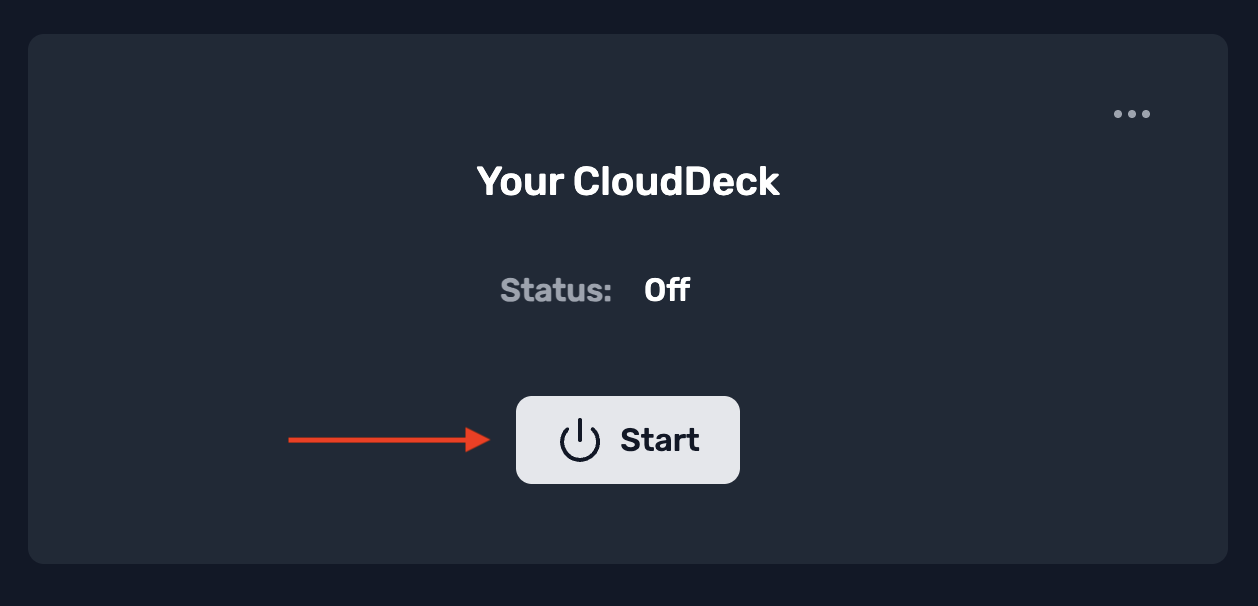
Start your CloudDeck
- After signing up and starting your subscription, click Start to launch your CloudDeck.
- The first startup may take up to 3 minutes.
-
Open the connection dialog
- Once your CloudDeck has started, click Connect.
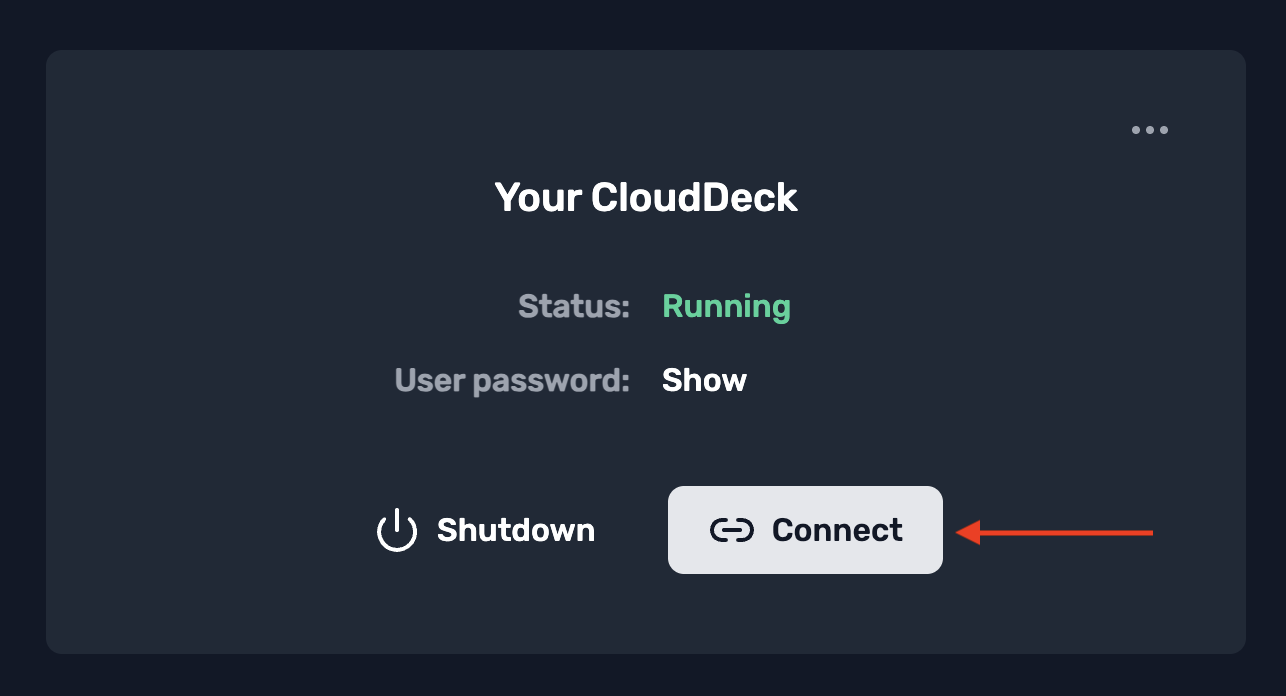
- Once your CloudDeck has started, click Connect.
-
Download VoidLink - Extreme
- A dialog appears with instructions on how to connect. Instead of downloading Moonlight as instructed in step 1 of the dialog, get VoidLink - Extreme on the Apple Appstore and open the app.
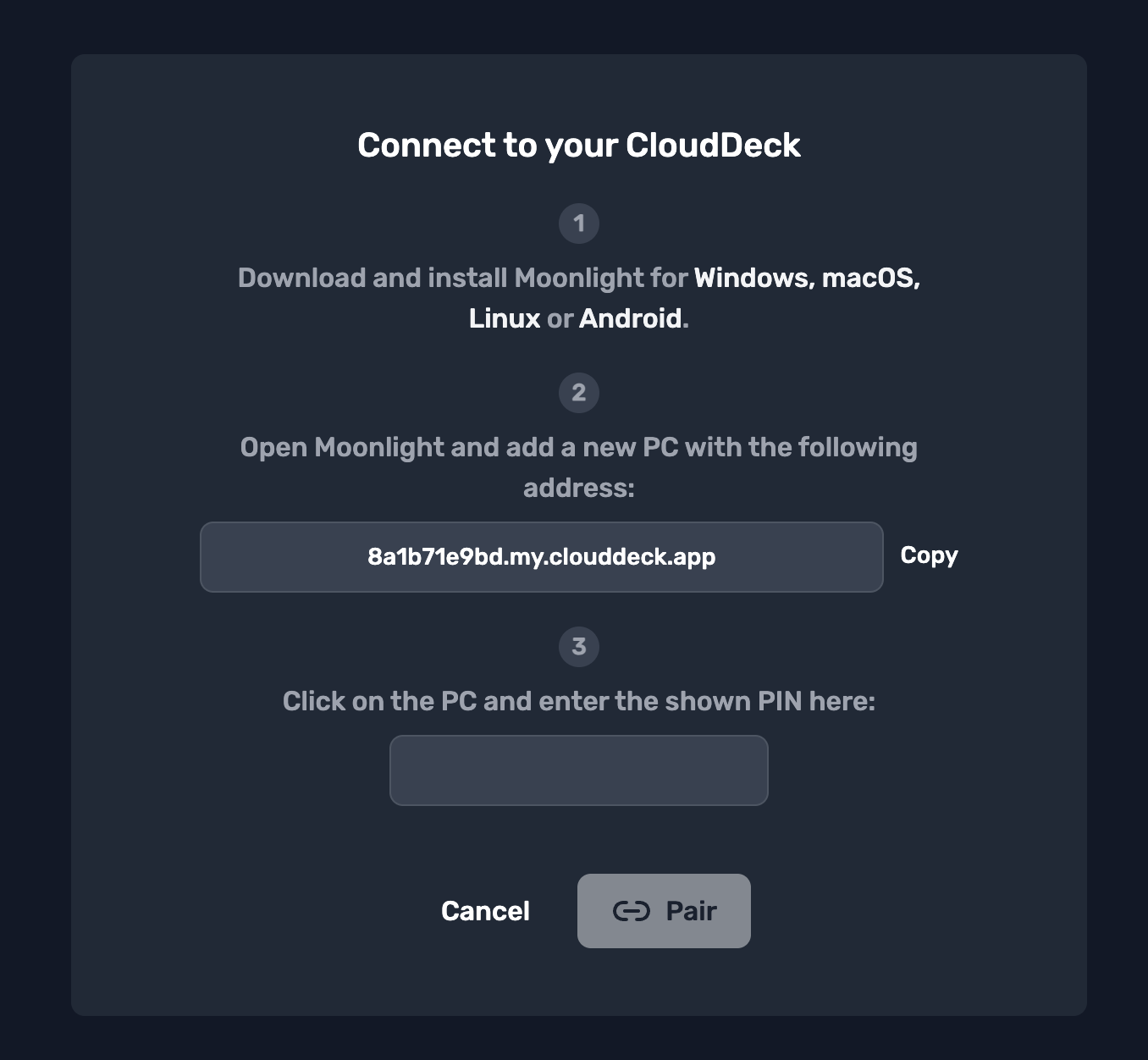
- A dialog appears with instructions on how to connect. Instead of downloading Moonlight as instructed in step 1 of the dialog, get VoidLink - Extreme on the Apple Appstore and open the app.
-
Add a new host in VoidLink - Extreme
-
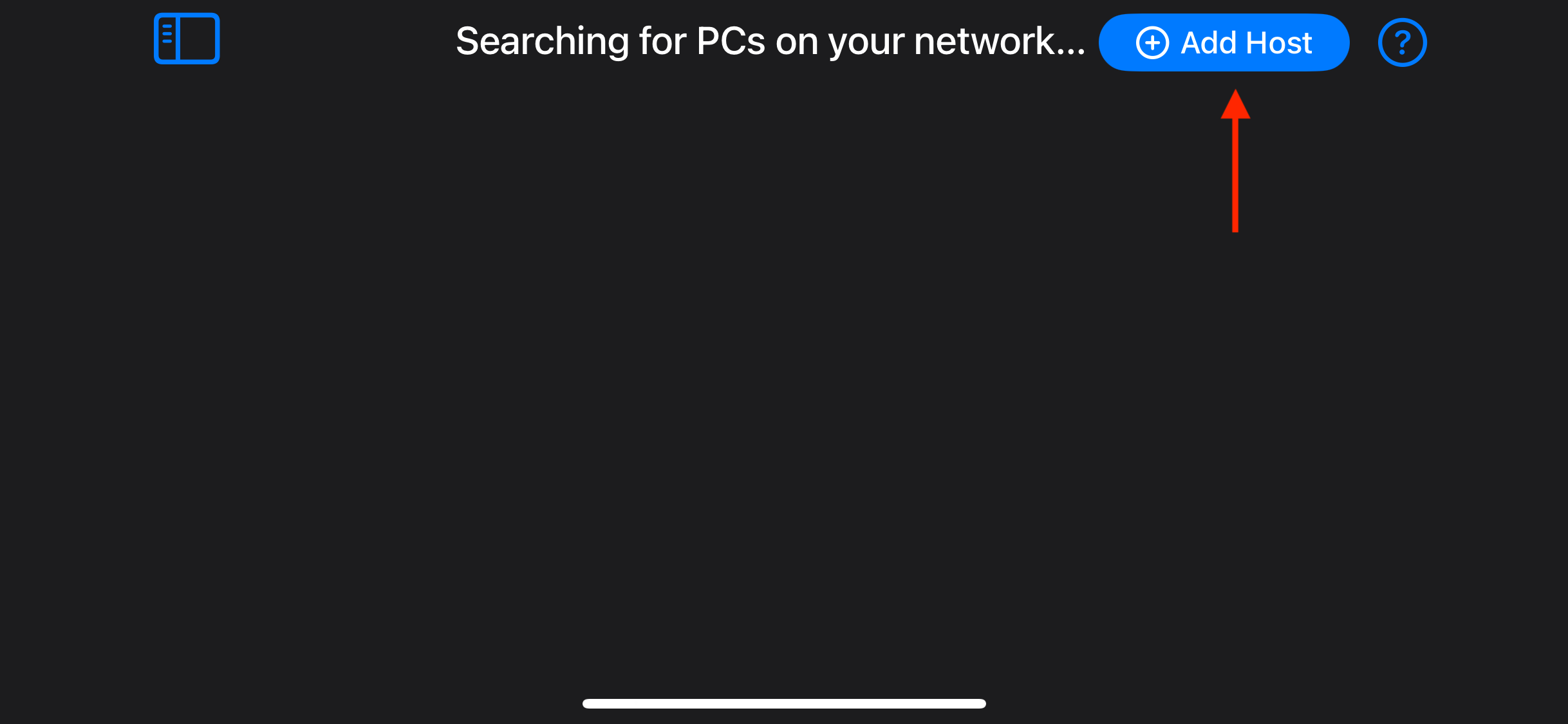
In VoidLink - Extreme, click the Add Host button.
-
-
Enter the CloudDeck address
-
In the connection dialog (step 2), note the address shown on the screen.
-
Enter a modified version of this address into the input field of VoidLink – Extreme:
xyz.my.clouddeck.app→xyz.my.airgpu.com-
Example:
8a1b71e9bd.my.clouddeck.appbecomes8a1b71e9bd.my.airgpu.com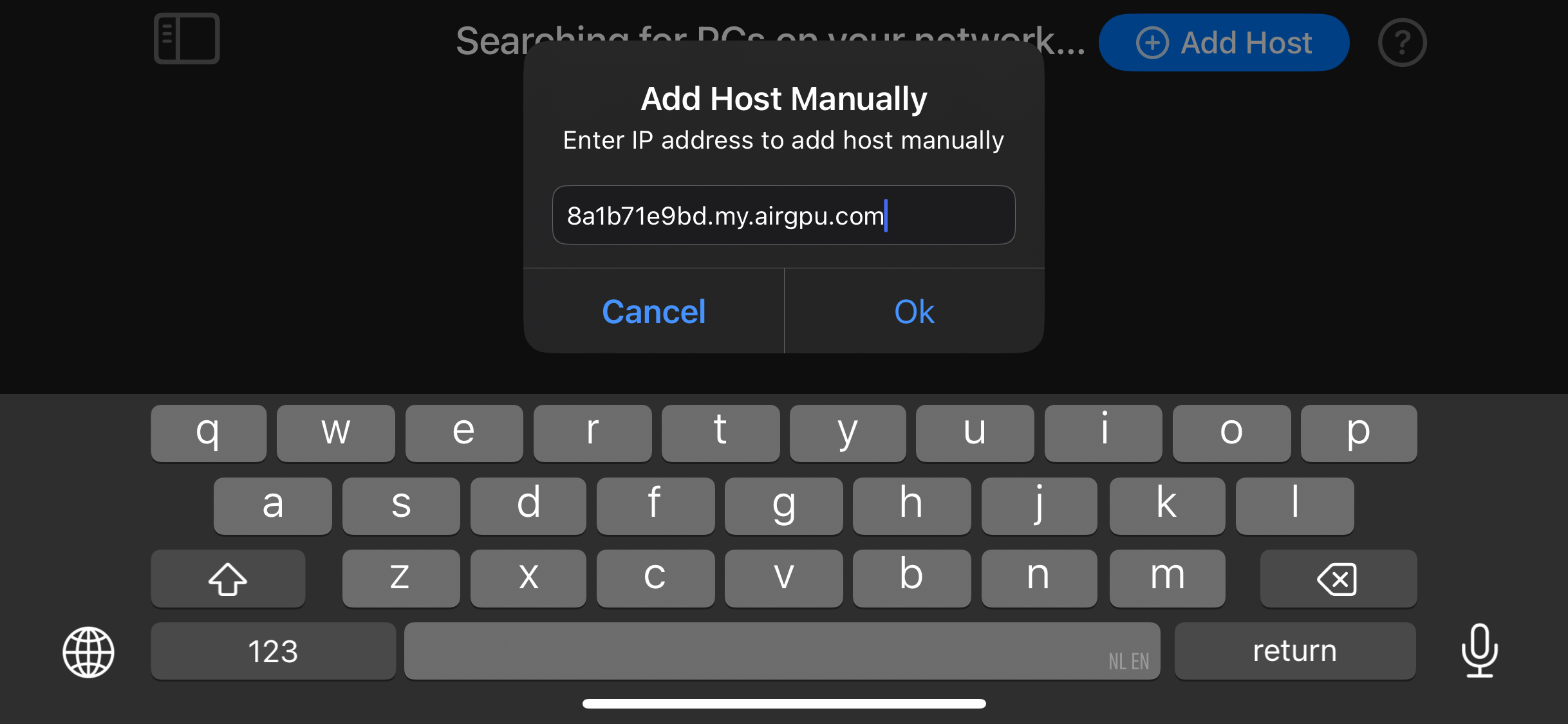
-
-
Start pairing VoidLink - Extreme with your CloudDeck
-
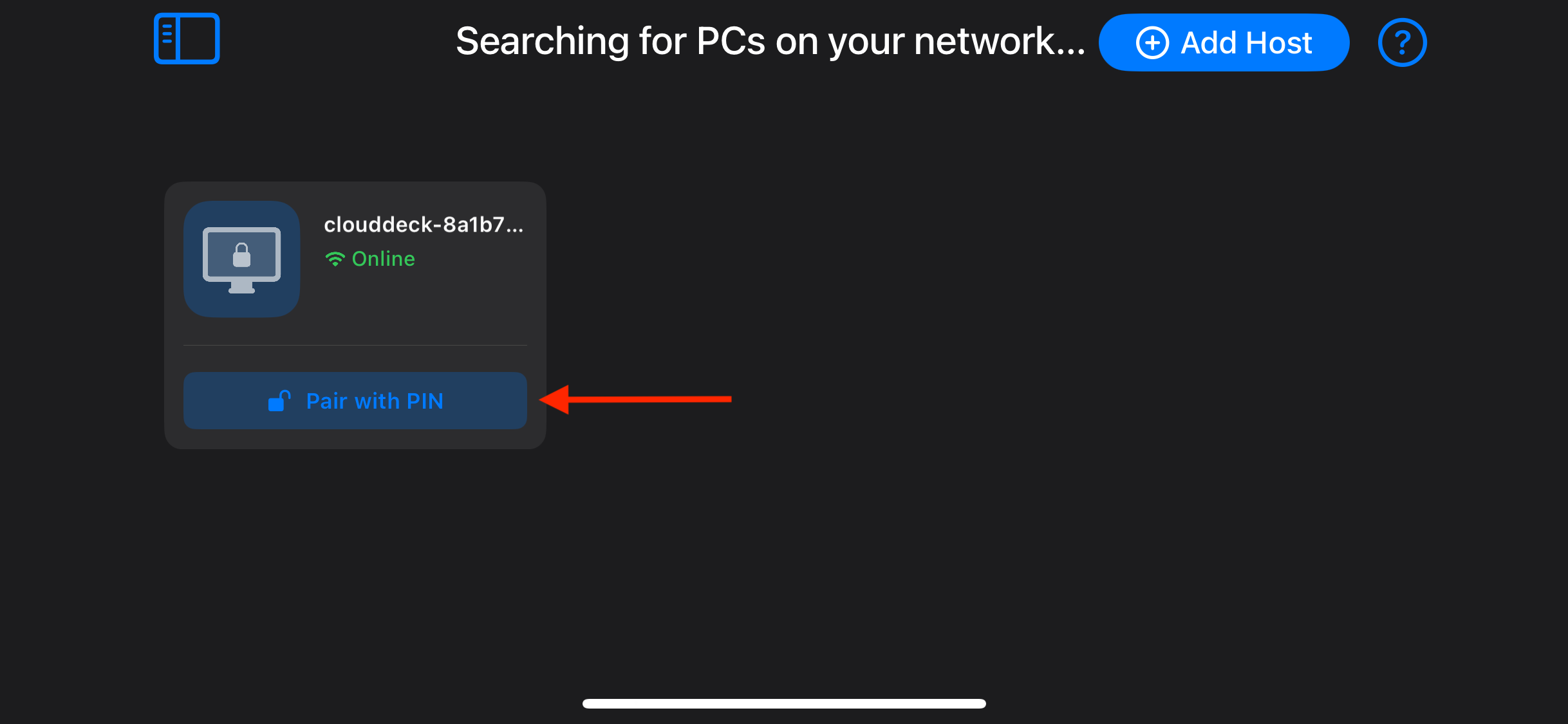
Your CloudDeck will appear in VoidLink - Extreme with a lock icon.
-
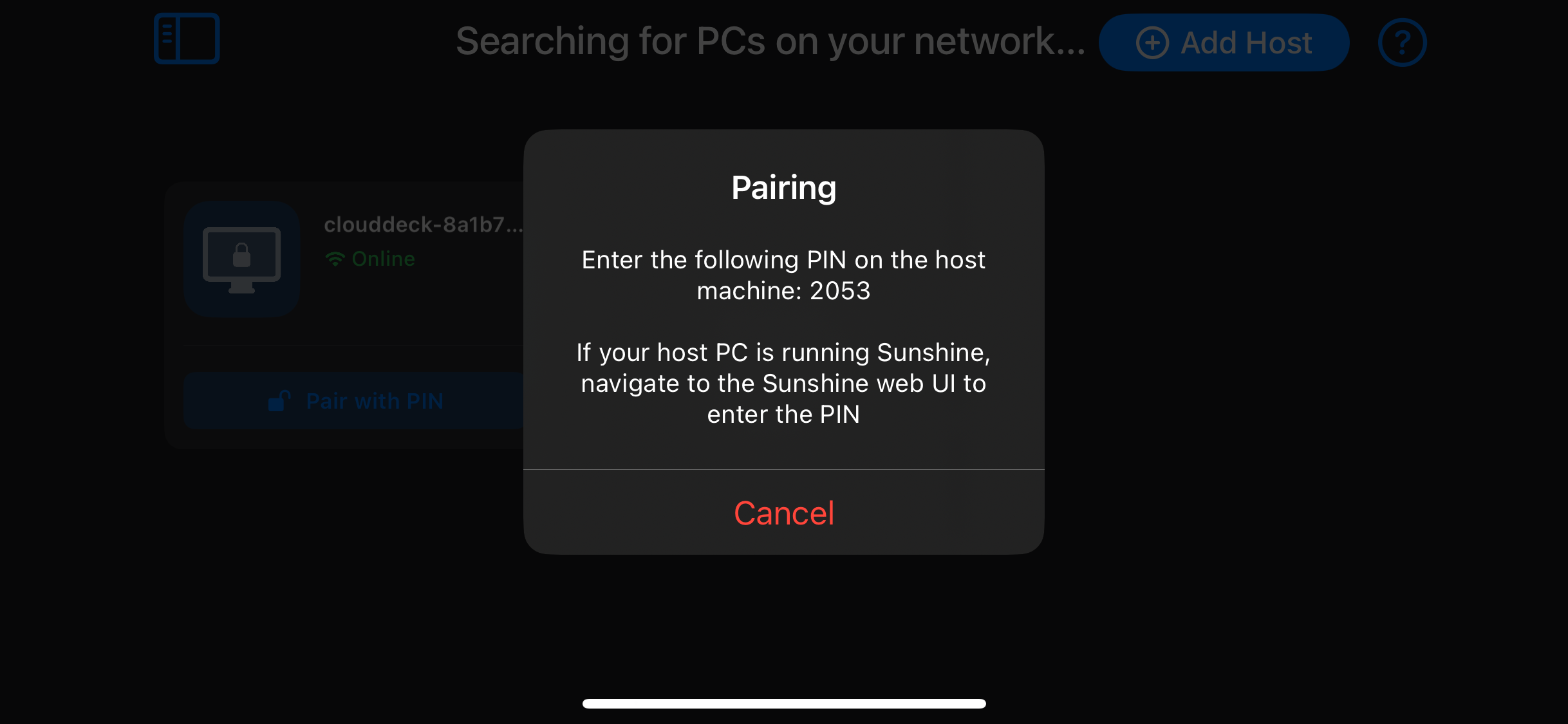
Click the Pair with PIN button under your CloudDeck to display a pairing PIN.
-
-
Enter the pairing PIN
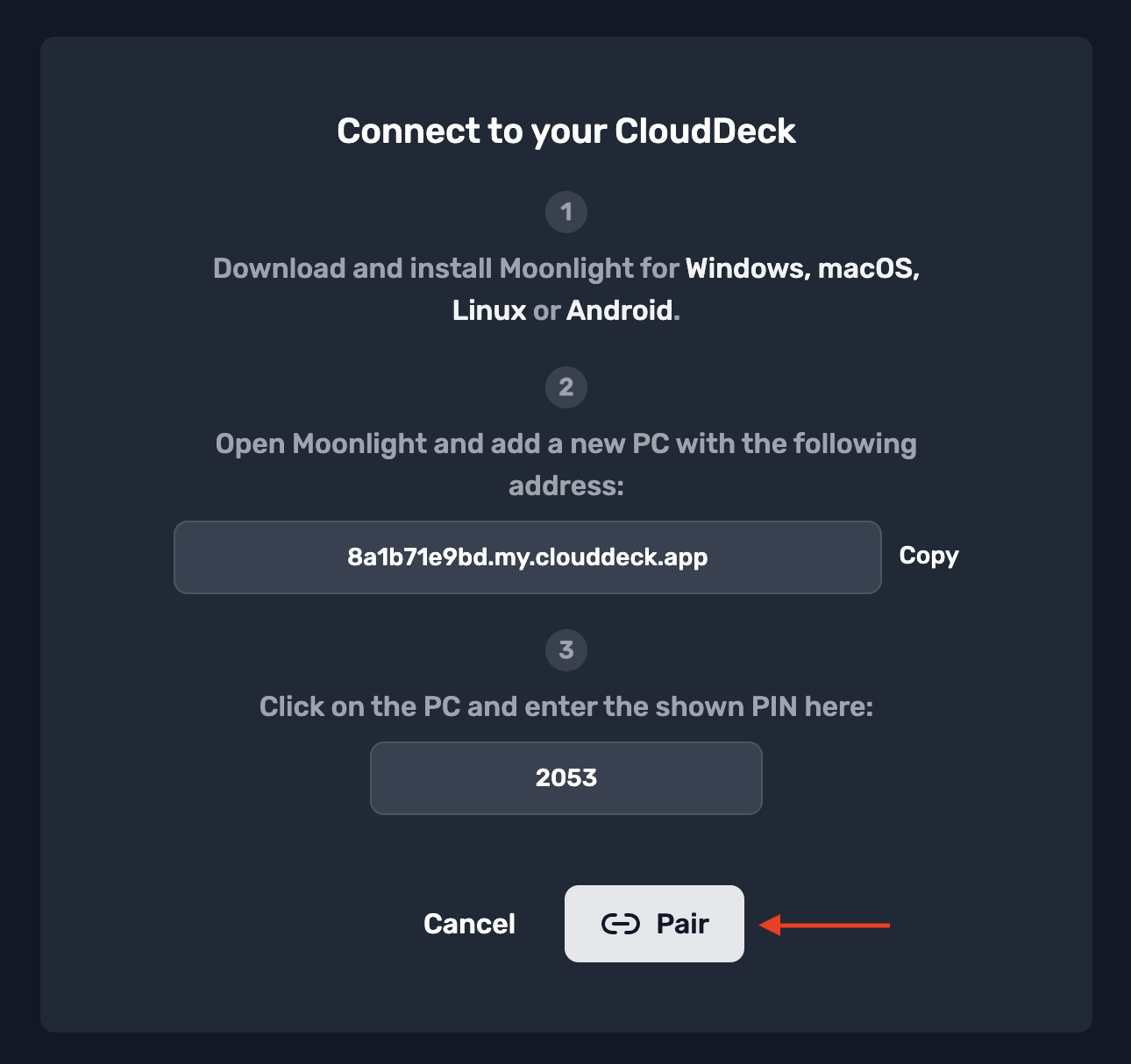
- In your browser, enter the PIN in the input field under step 3 of the connection dialog.
- Click Pair.
-
Connect to your CloudDeck
-
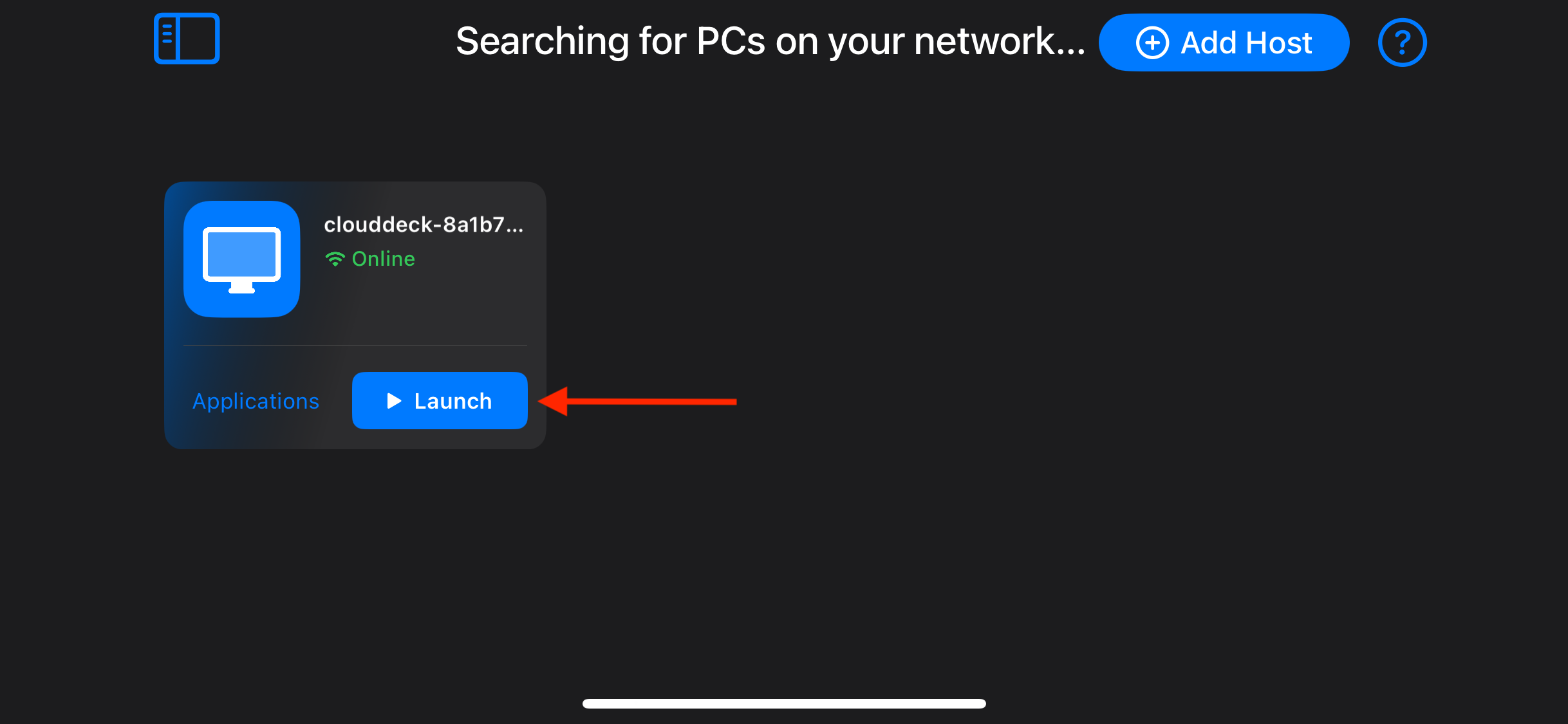
Once paired, your CloudDeck will show as unlocked in VoidLnk - Extreme.
-
Click on Launch in VoidLink - Extreme to start streaming.
-
-
Enjoy your CloudDeck
- Once the stream has established, you can start using your CloudDeck.
- Happy gaming!