Change streaming resolution
In order to change the streaming resolution, you'll have to change the display resolution of your CloudDeck and the streaming resolution in Moonlight.
1. Change display resolution of your CloudDeck
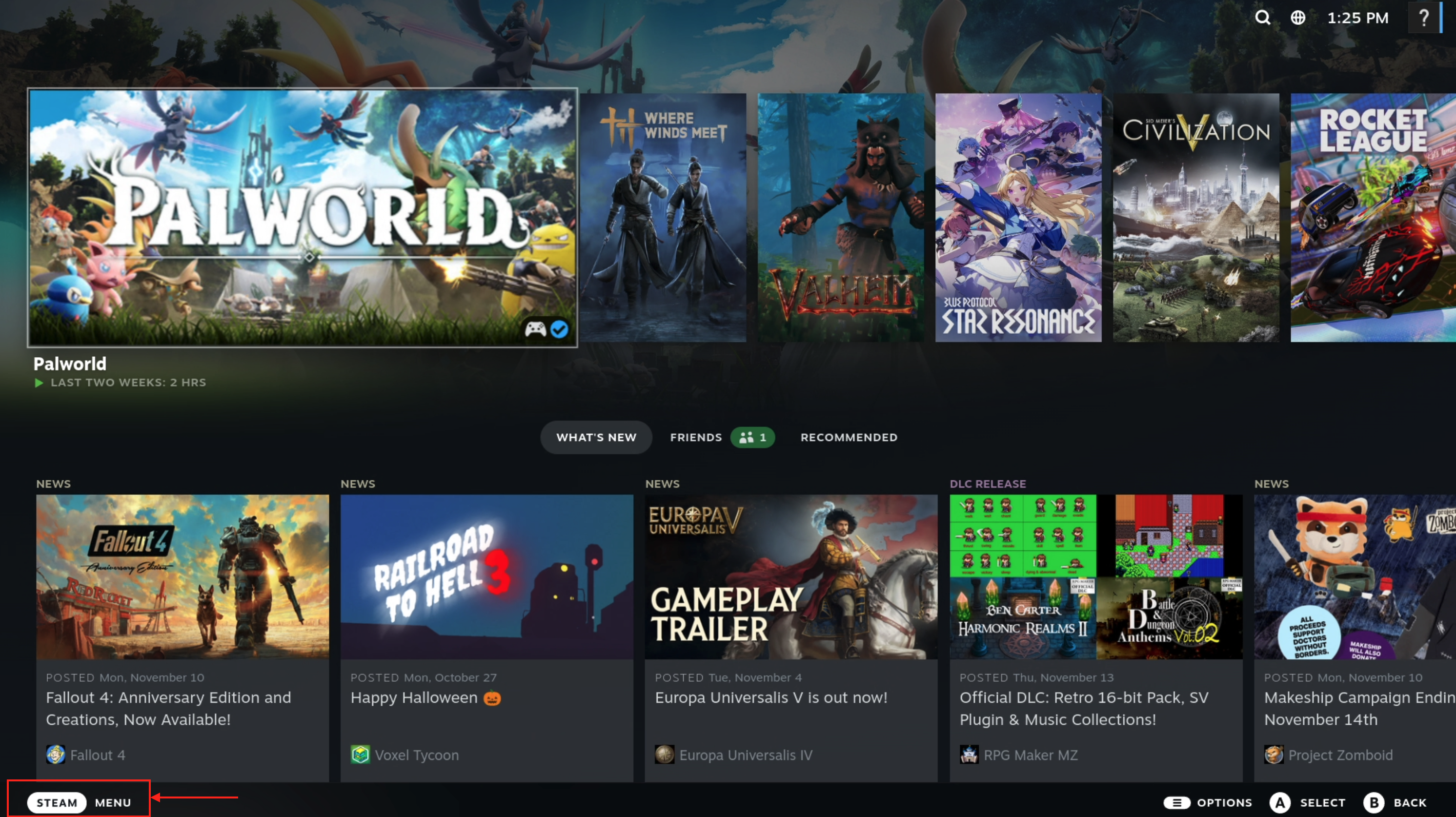
- Press Esc or click on Steam menu at the bottom left to open the Steam menu
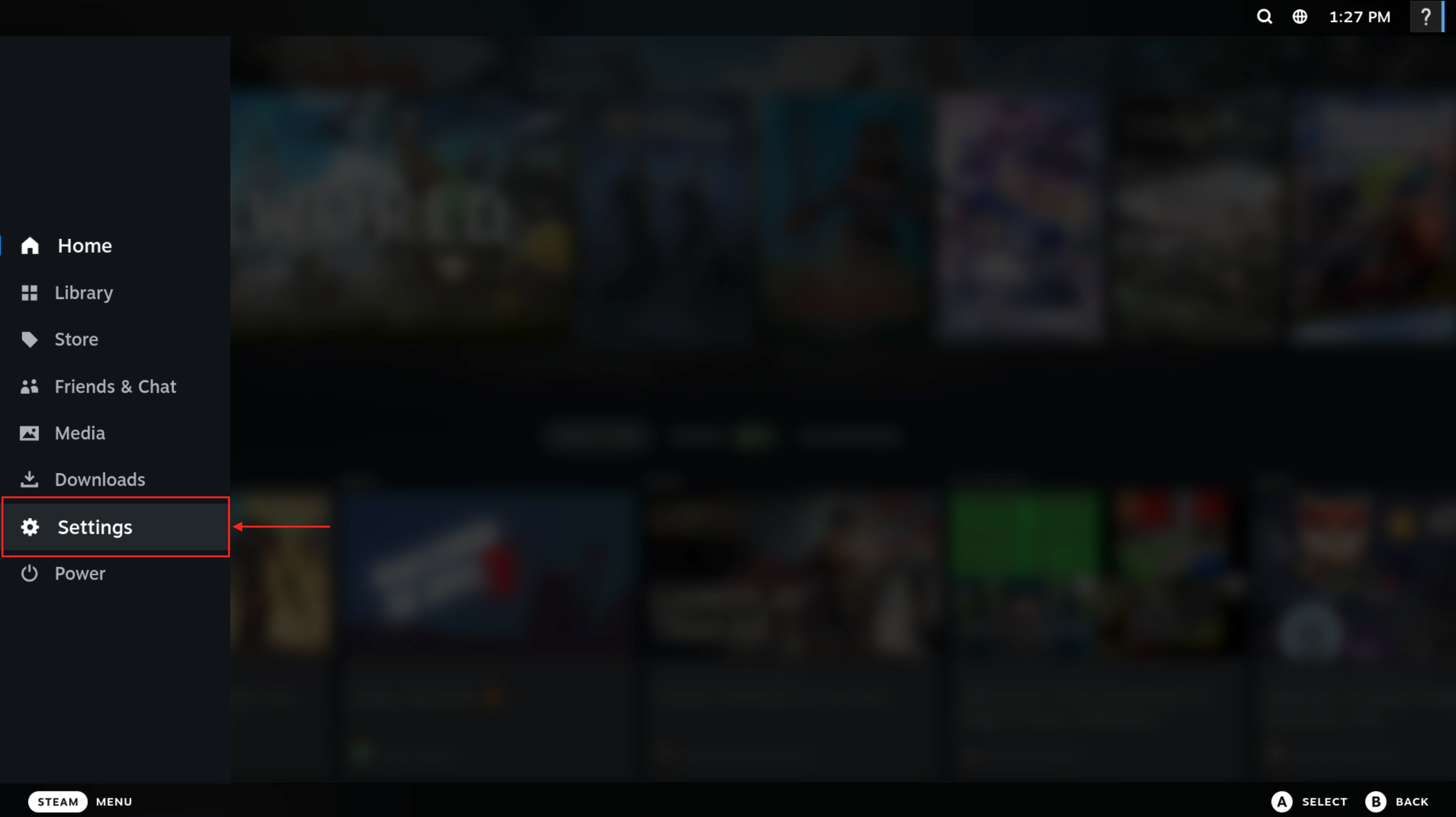
- Click on Settings
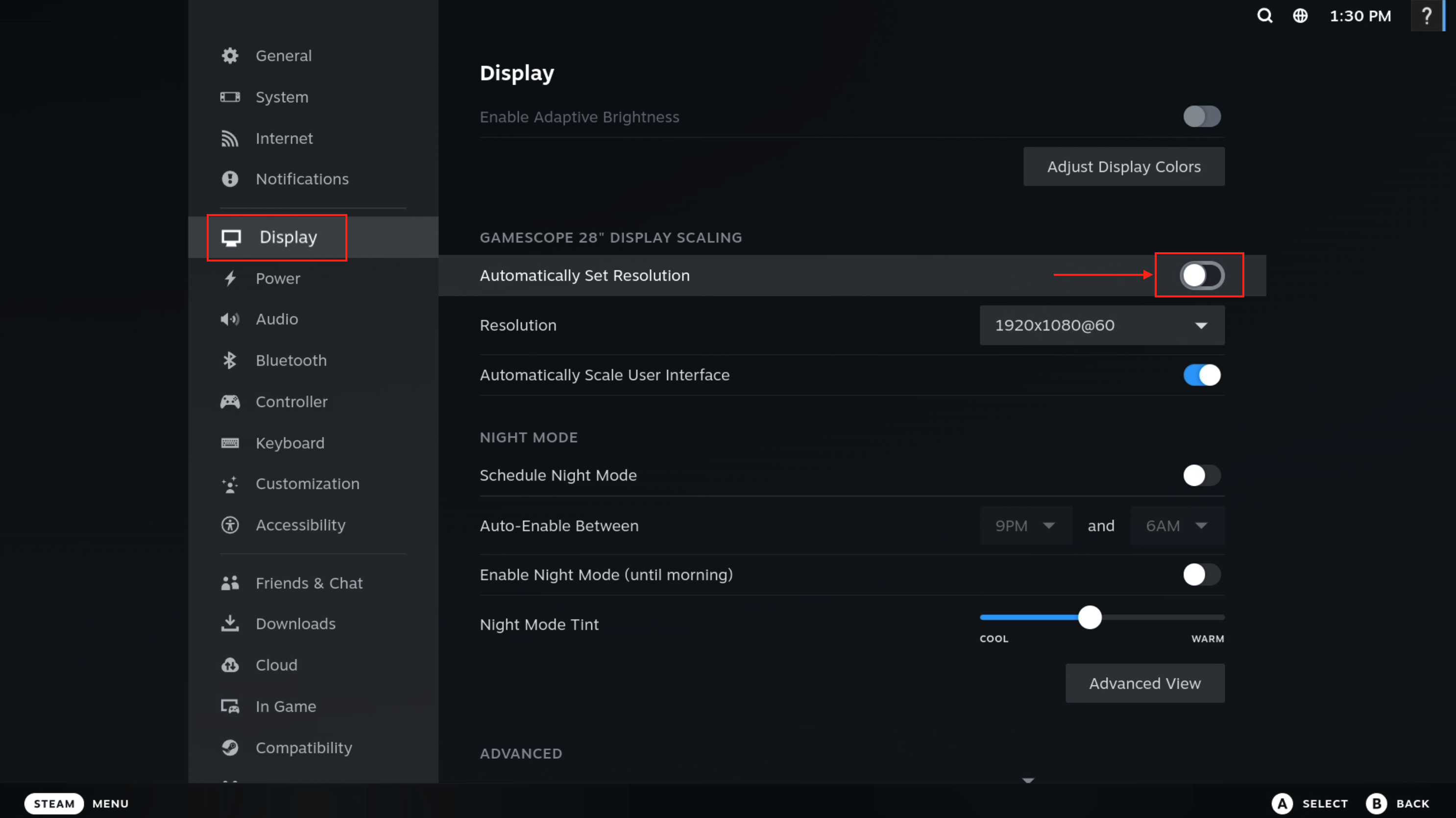
- Click on Display and untick Automatically Set Resolution
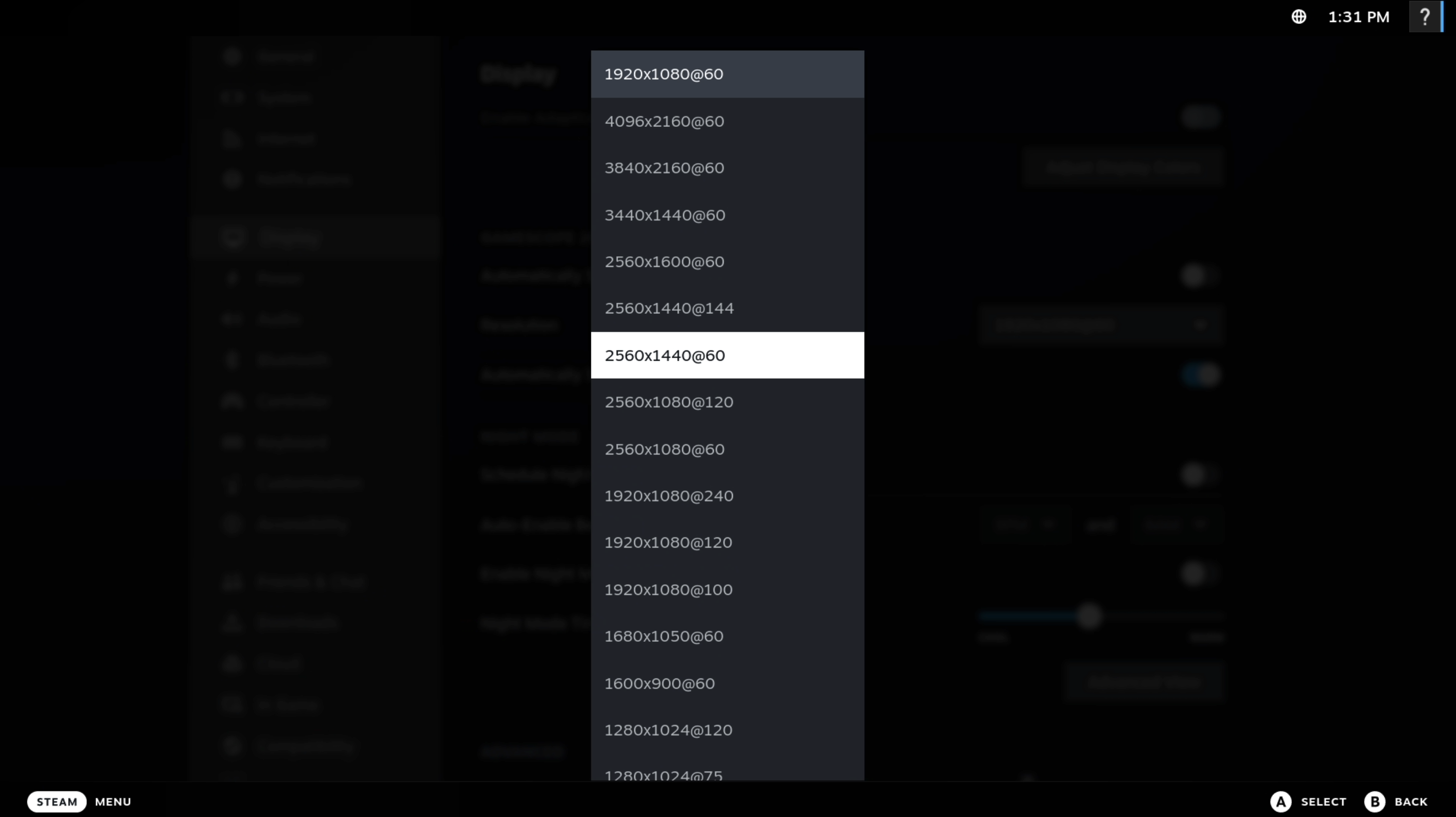
- Select the desired streaming resolution
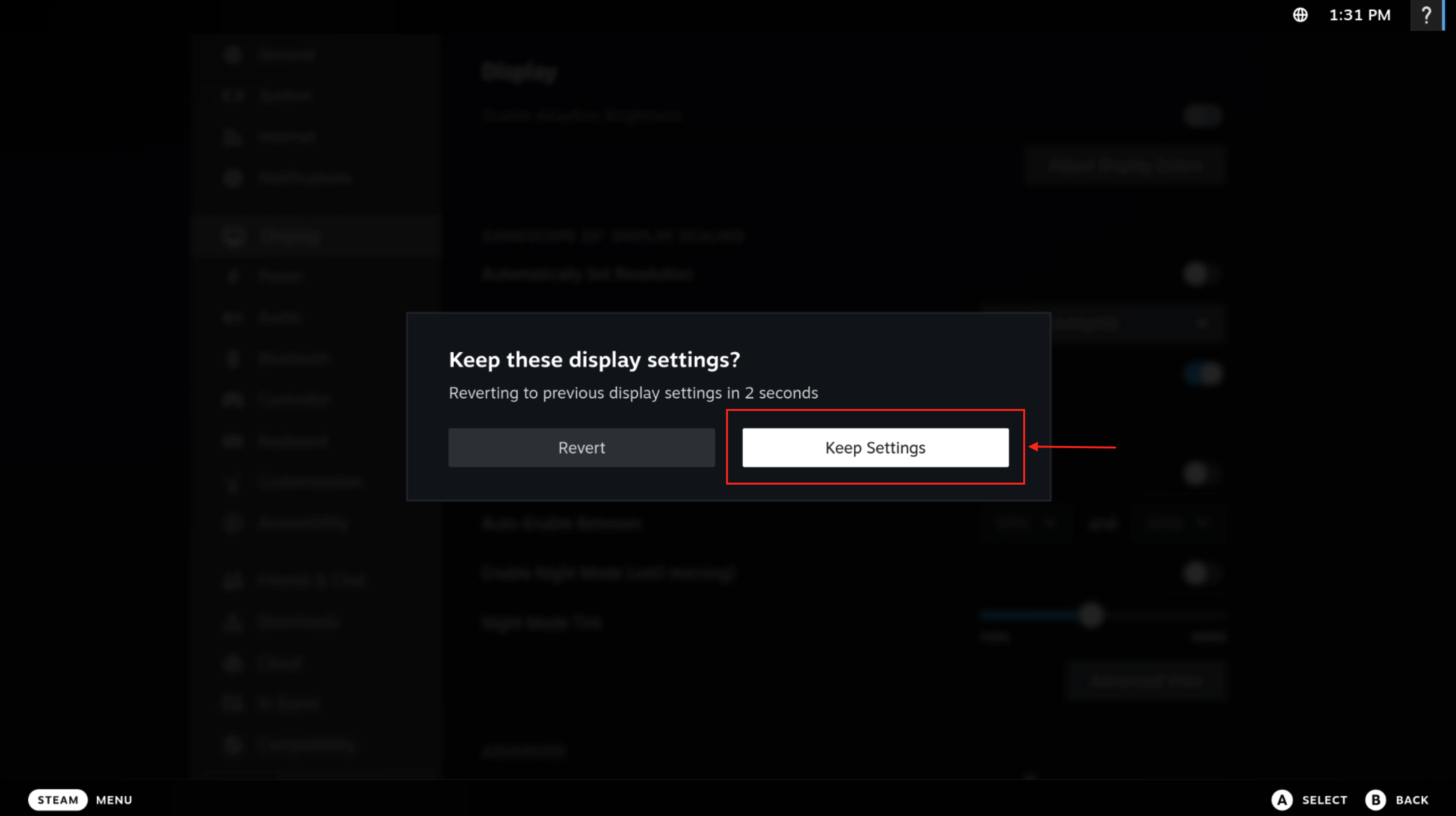
- Click Keep Settings to confirm the resolution change
2. Change streaming resolution in Moonlight
- Press Ctrl+Alt+Shift+Q to close your current streaming session
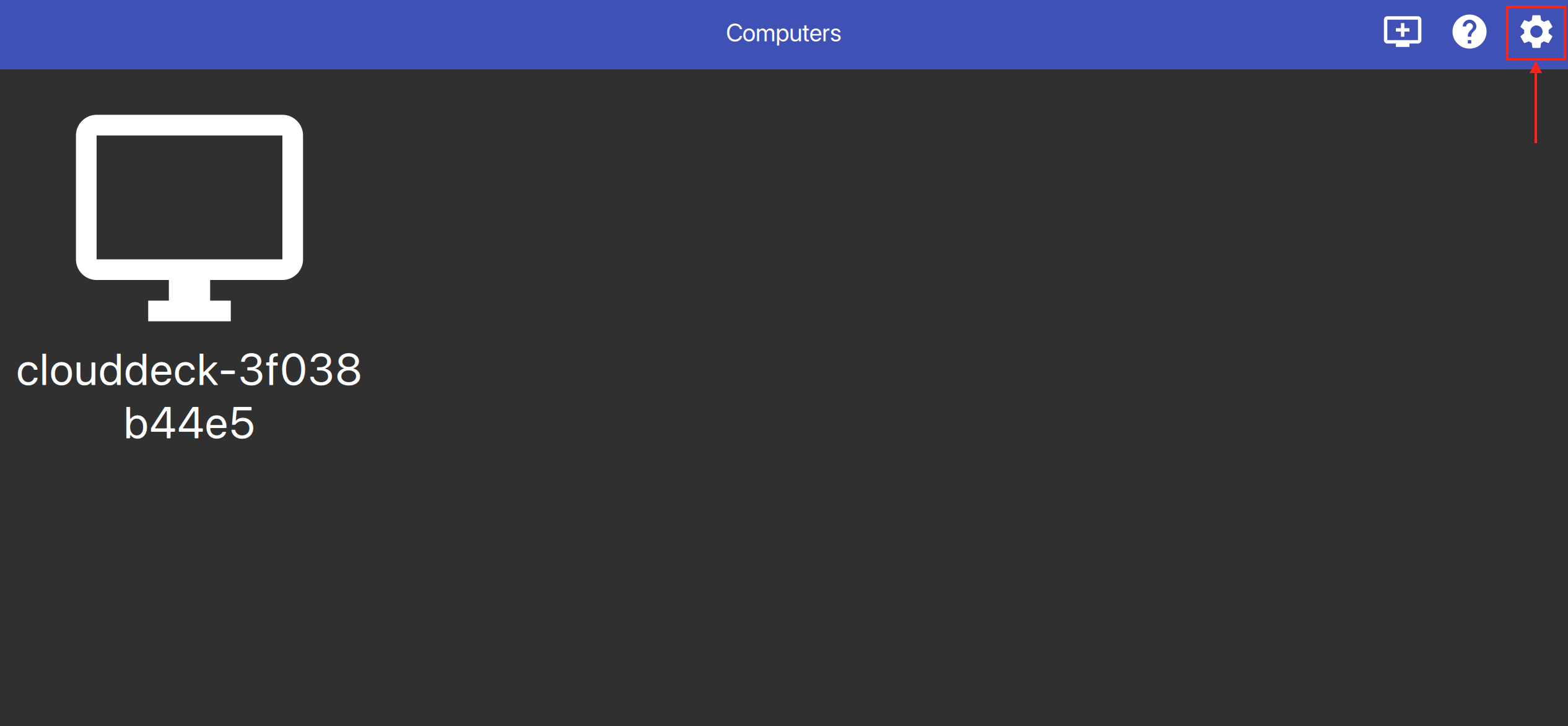
- Open the Moonlight settings
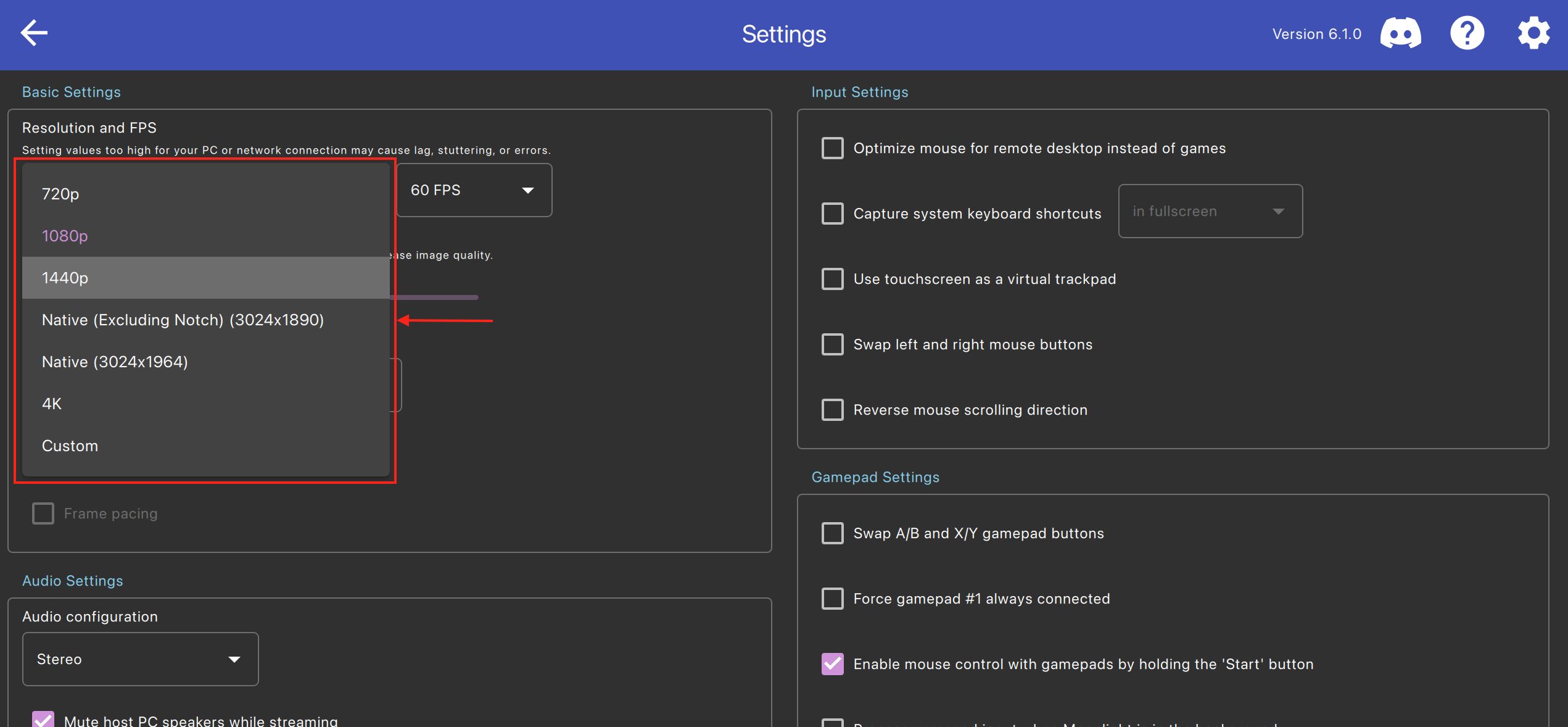
- Click on the resolution dropdown and select the desired streaming resolution
That's it! You can now go back and connect to your CloudDeck again with Moonlight. The stream will now start with the selected streaming resolution.